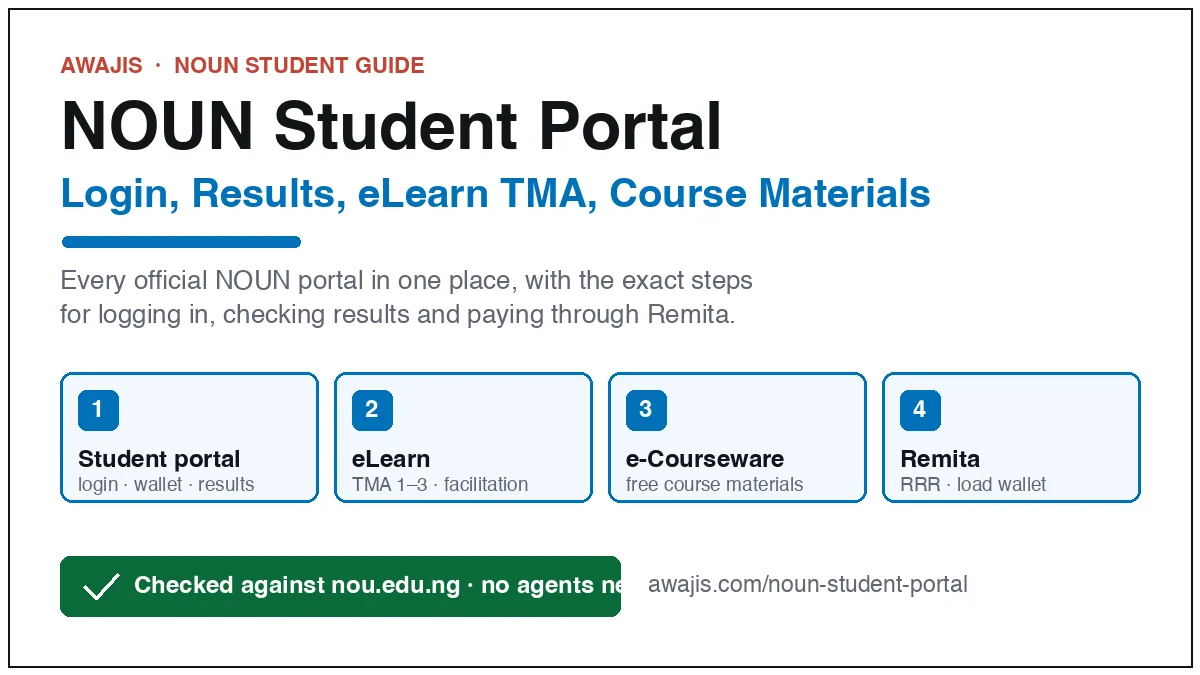
The NOUN student portal is nouonline.nou.edu.ng. Click “Registered student”, enter your matric number and password, and you are in. From the dashboard you load your e-wallet through Remita, register the semester, courses and exams, print your registration slip, and open eLearn for TMAs. Results are on the separate support portal, and course materials are free on e-Courseware.
NOUN portal links that work (September 2026)
| What you want to do | Where to go |
|---|---|
| Log in as a registered student | nouonline.nou.edu.ng/rs/student_login_page |
| Apply for admission (any day of the year) | nouonline.nou.edu.ng → Admission |
| TMAs, facilitation, course pages | elearn.nou.edu.ng |
| Check results, raise a complaint (e-ticket) | support.nou.edu.ng |
| Download course materials | nou.edu.ng/e-courseware |
| Transcripts, statement of result, letters | transcript.nou.edu.ng |
| SIWES placement | mylearningspace.nou.edu.ng |
| University news and notices | nou.edu.ng |
The old address nouonline.net still opens and lands on the same system, and NOUN’s own FAQ still names it, so either works. Dead links you will see on blogs and in WhatsApp broadcasts: nou.edu.ng/user/login, application.nou.edu.ng and elearn.nouedu2.net. None of them load today.
How to log in to the NOUN student portal
- Open nouonline.nou.edu.ng/rs/student_login_page.
- Click Registered student.
- Enter your matriculation number as the username and your password, then click Login.
- Read the pop-up notice (it carries the current semester’s deadlines) and close it.
NOUN’s FAQ also describes a second form of the login: your NOUN email (NOU followed by your number, at noun.edu.ng) as the username and your matric number as the first password. If one combination fails, try the other before you assume the password is wrong. Your NOUN email must be active for the portal to work.
Forgot your password?
- Student portal: click Forgot password on the login page. The reset link goes to the email on your record. If that email is dead, raise an e-ticket on support.nou.edu.ng under Academic Registry, or see the ICT officer at your study centre.
- eLearn: use the Forgot password link on elearn.nou.edu.ng. It has its own password; changing one does not change the other.
- Support portal: login → Forgot Password → enter your student email → Send Reset Password Link, then check the inbox and spam folder.
How to check your NOUN result
- Go to support.nou.edu.ng and log in with your matric number or student email. Many students report the first password is the word “default”; change it once you are in.
- Click Result Statement.
- Pick the semester. The statement shows each course, your score, grade and running CGPA.
A course showing as incomplete means either the TMA scores or the exam score has not been recorded. Raise an e-ticket under Academic Registry with the course code and semester. Courses you failed stay on the statement permanently, even after you pass them at a resit. E-exam scripts cannot be remarked. Pen-on-paper scripts can: apply through your study centre with proof of exam registration and pay the ₦20,000 remarking fee per course on Remita.
How the score is built: TMAs are 30 percent, the exam is 70 percent, and the pass mark is 40 percent (50 percent for Nursing and postgraduate courses). The full grading scale and a calculator are on the NOUN CGPA calculator page.
How to load your e-wallet with Remita
NOUN does not take direct transfers. Every fee goes into your portal e-wallet through a Remita Retrieval Reference (RRR), then the portal deducts from the wallet when you register.
- Log in and click Manage Wallet → Load Wallet.
- Enter the amount (add up your semester fees first, see below), pick a payment option and click Pay. The portal generates a 12-digit RRR.
- Pay the exact amount, kobo included, by card, USSD, internet banking or at any bank branch.
- Back on the portal: Manage Wallet → Check Payment Status (or Check RRR) → enter the RRR. If Remita shows it as successful, click Credit RRR and enter the RRR without hyphens. The wallet updates immediately.
Paid but the wallet still shows nothing? Run Check RRR first. If Remita has the payment as successful and Credit RRR still fails, take your receipt to the accountant at your study centre or raise an e-ticket under Students Portal Issues. Keep every teller and receipt until you graduate. You can print the wallet history from Wallet → View Wallet.
How much to load: new undergraduates pay ₦55,500 in compulsory fees for the first semester, returning undergraduates ₦18,000, plus ₦2,000 to ₦3,000 per course and ₦1,500 exam fee per course. The NOUN school fees guide has the full official schedule and an estimator.
Register the semester, your courses and your exams
- Home → Registration → Semester Registration. Confirm the semester and the fee lines, then submit. The wallet is debited.
- Register courses: tick the courses for your level. You must take every compulsory course plus at least one elective, up to 24 credit units.
- Register courses for exam: tick the courses you will sit this semester and confirm. Practical courses show ₦6,500 instead of ₦1,500 because ₦5,000 is the practical component.
- Registration → View Registration Slip → print. This slip is your exam clearance document.
Dropping a course after registration can only be done at your study centre by the ICT officer. Deadlines, the matriculation list and the exam clearance form are covered in the NOUN course registration and exam slip guide.
eLearn: the TMA portal
- Open elearn.nou.edu.ng and click Log in.
- Username is your matric number. First-time users report the password is the matric number in lowercase, with a forced change at first login. Use Forgot password if that fails.
- Your registered courses appear within two working days of course registration. Open a course to see TMA1, TMA2 and TMA3. TMA2 unlocks only after you submit TMA1.
- Grades: click the open-book icon in the left sidebar inside the course.
eLearn problems go to lcms@noun.edu.ng or an e-ticket under E-learn Portal. What TMAs count for, the 2026 windows and common mistakes are in the NOUN TMA guide.
Download your course materials free
Every NOUN course material is a free PDF at nou.edu.ng/e-courseware. Pick your faculty, then the course code. Nobody should charge you for a soft copy. Printed copies are optional and sold at study centres. The GST courses every undergraduate takes:
| Code | Course |
|---|---|
| GST101 | Use of English and Communication Skills I |
| GST102 | Use of English and Communication Skills II |
| GST103 | Computer Fundamentals |
| GST104 | Use of Library |
| GST105 | History and Philosophy of Science |
| GST107 | A Good Guide for Distance Learner |
| GST201 | Nigerian Peoples and Culture |
| GST202 | Fundamentals of Peace Studies and Conflict Resolution |
| GST203 | Introduction to Philosophy and Logic |
| GST204 | Entrepreneurship and Innovation |
| GST302 | Business Creation and Growth |
Postgraduate students take one study-guide course instead (GST707, GST807 or GST907, by level). Past questions for these and other courses are collected on the NOUN past questions page.
Exam slip and e-clearance
Your printed registration slip (Registration → View Registration Slip) is what invigilators check. For pen-on-paper exams some study centres also ask for the e-clearance form: download it from the portal, complete Section A, attach a passport photograph, scan it together with the registration slip and email it to your study centre before the exam window. Pen-on-paper exams are for 300 level and above; 100 and 200 level students sit e-exams. For 2026_2 the pen-on-paper window is 15 September to 9 October and e-exams run 13 October to 5 November. All dates are in the NOUN academic calendar.
Getting help: e-tickets and the call centre
The e-ticket platform on support.nou.edu.ng replaces trips to the study centre for most complaints. Categories include Academic Registry, E-learn Portal, Email and Courseware, and Students Portal Issues. Attach evidence (receipt, screenshot, signed form) and quote your matric number. For anything urgent, the NOUN Information Call Centre is +234 908 290 7092 or centralinfo@noun.edu.ng.
Common portal problems and the fix
- Payment not reflecting: Check RRR, then Credit RRR without hyphens. Still stuck: study-centre accountant or an e-ticket with the receipt.
- Charged twice: e-ticket under Students Portal Issues with both RRRs for a refund.
- Admitted into 300 level but 100 level courses show: e-ticket under Academic Registry with your admission letter; do not register the wrong courses.
- Courses missing on eLearn: wait two working days after course registration, then e-ticket under E-learn Portal.
- Name spelt wrongly: NOUN corrects or rearranges names (Jonthan to Jonathan) but does not approve a full change of name.
- Wrong study centre: collect and complete a Change of Study Centre form at your current centre, get it signed and stamped, and upload it on the e-ticket platform under Academic Registry. Details on the NOUN study centres page.
- Portal slow near a deadline: register in the first weeks of the window. Late registration attracts a surcharge shown on the portal.
Not a student yet?
NOUN admits all year, needs no JAMB and charges no acceptance fee. The application fee, requirements and every step are in the NOUN admission guide, and the programme list is in NOUN accredited courses and requirements. Everything else about the university lives on the NOUN hub.
Key 2026 dates
- 2026_2 course and exam registration: 22 June to 5 October 2026
- Matriculation: 9 September 2026
- Pen-on-paper exams: 15 September to 9 October 2026
- E-exams and marking: 13 October to 5 November 2026
- 2026_2 results: 26 November 2026
FAQs
What is the NOUN student portal login?
nouonline.nou.edu.ng/rs/student_login_page. Click Registered student and sign in with your matric number and password. The old nouonline.net address opens the same system.
How do I log in with my matric number?
Your matric number is the username. The first password is usually the matric number itself (or your NOUN email plus matric number, per the FAQ). Change it after the first login.
How do I check my NOUN result?
Log in at support.nou.edu.ng and click Result Statement. Results for 2026_2 are due on 26 November 2026.
Where is the NOUN TMA portal?
elearn.nou.edu.ng. Courses show there within two working days of registering them on the student portal.
How do I generate Remita for NOUN?
Manage Wallet → Load Wallet → enter the amount → Pay. The portal issues the RRR. Pay it, then Credit RRR on the portal.
Are NOUN course materials free?
Yes. Download every course PDF at nou.edu.ng/e-courseware. Only printed copies cost money.
Leave a Reply