
To cancel an Expensify subscription, sign in and go to Account > Subscription. On an annual plan, select Request early cancellation; Expensify reviews the request for eligibility. On a pay-per-use plan, open the ⋮ menu next to the workspace and choose Delete workspace. Only the billing owner can do this, and there are no prorated … Read more — How to Cancel Expensify Account Subscription
Cancel
Facebook 6 digit Confirmation Code: Facebook Code Generator
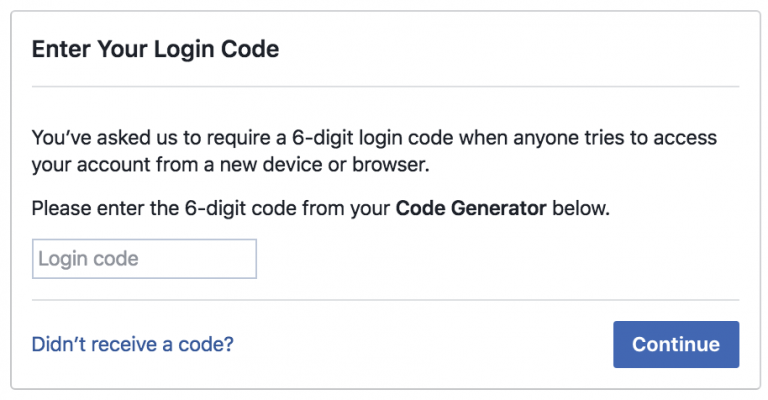
What do you know about the Facebook 6-digit confirmation code: Facebook Code Generator? The Facebook Code Generator is a tool to safeguard your account and keep it safe. The two-step verification process enables you to sign in from an unknown computer or phone. The Facebook code generator is a security mechanism that assists in limiting … Read more — Facebook 6 digit Confirmation Code: Facebook Code Generator
How to Cancel HelloFresh Subscription

To cancel HelloFresh, sign in at hellofresh.com, click your name in the top right, then go to Account Settings > Plan Settings and click Cancel Plan (some accounts label this button Deactivate). Cancel by 11:59 PM PST, five days before your next delivery, or that box is locked in and charged. The app uses the … Read more — How to Cancel HelloFresh Subscription
How to Cancel CenturyLink
To cancel CenturyLink home service, call 800-244-1111 (residential, Monday-Friday 8 a.m. to 6 p.m.) or sign in to your My CenturyLink account and look for the cancel option. First, check who actually serves your address. CenturyLink’s consumer business is now Lumen and Quantum Fiber, and in many former-CenturyLink areas service moved to Brightspeed. If you … Read more — How to Cancel CenturyLink
How to Cancel Grammarly Premium and Get a Refund
To cancel Grammarly Premium, sign in at grammarly.com, click the Account tab in the left sidebar, then open Your account > Subscription. Click Cancel Subscription, click Continue, pick a reason, and click Cancel Subscription again to confirm. Bought through the Apple App Store or Google Play? Cancel there instead. Canceling stops the next charge but … Read more — How to Cancel Grammarly Premium and Get a Refund
How to Cancel Time Magazine Subscription
To cancel a Time magazine subscription, go to the subscriber services portal at time.magazinesubscriberservices.com (run on buysub.com). Sign in with your account number or email plus your ZIP code, open your subscription, and choose the cancel option. Prefer the phone? Call 1-800-843-8463. Bought through Amazon or another retailer? Cancel there instead. How do you cancel … Read more — How to Cancel Time Magazine Subscription
How to Cancel Subscription on Cash App
To cancel a subscription you pay for through Cash App, start at the merchant or the app store that bills you. Cash App can’t cancel most individual subscriptions for you. Open Cash App, tap the profile icon, tap Support, tap Something else, then tap Manage recurring payments to see what’s charging you. To stop a … Read more — How to Cancel Subscription on Cash App
How to Cancel BarkBox Subscription

How to cancel your BarkBox subscription: Go to barkbox.com, log in, and open Account > Subscription Settings. Edit your plan and select disable auto-renewal. BarkBox bills on the 3rd of each month, so turn off auto-renewal before then to stop the next box. Monthly plans can stop anytime. On a 6- or 12-month plan, disabling … Read more — How to Cancel BarkBox Subscription
How to Cancel Picolo Subscription
Cancel your Picolo subscription wherever you signed up for it. Picolo, the party game by Marmelapp, bills through the App Store, Google Play, or PayPal, so that’s where you cancel. On iPhone, open Settings > your name > Subscriptions > Picolo > Cancel Subscription. On Android, open the Play Store > profile icon > Subscriptions … Read more — How to Cancel Picolo Subscription
How to Cancel IMVU Account

To cancel your IMVU account, sign in, click your profile icon, and open Settings. Scroll to the Others section and click Delete Account. Choose Deactivate (recoverable for about 30 days) or Delete (permanent). Re-enter your login to confirm, then check your email. Cancel any VIP or subscription separately first, or app-store billing keeps charging you. … Read more — How to Cancel IMVU Account
How to Cancel Google Voice
Most people on a personal (free) Google Voice account cancel by deleting their Voice number: go to voice.google.com > Settings (gear, top right) > Account, then click Delete under your number. It’s free, and you can reclaim the number within 90 days. Pay for Voice through Google Workspace? You cancel that subscription in the Admin … Read more — How to Cancel Google Voice
Easy Way to Cancel Nest Subscription
Nest Aware is now called Google Home Premium, so you cancel it where you bought it. If you subscribed on the Google Store, go to store.google.com > Subscriptions > select your plan > Cancel subscription. If you signed up in the Google Home app, cancel it there. If you bought through a carrier or partner, … Read more — Easy Way to Cancel Nest Subscription
How to Cancel WPengine
To cancel WP Engine, log in to the User Portal as the account Owner, open Billing, click Cancel plan (or Request cancellation on premium accounts), and complete the cancellation form. Only an Owner-level user can do this, and WP Engine requires 30 days’ notice before your plan ends. Download your backups first, because all data … Read more — How to Cancel WPengine
How to Cancel Cerebral Subscription
How to Cancel Cerebral Subscription: Log in at cerebral.com or open the Cerebral app, then go to Account Settings > Subscription > Manage Subscription > Cancel. Follow the prompts and you’ll get a confirmation email. If you can’t find the option, call support at (415) 403-2156 or use in-app chat or email. Cancel before your … Read more — How to Cancel Cerebral Subscription
How to Cancel Bubble Subscription
How to Cancel Bubble Subscription Cancel your Bubble for JYPnation subscription through whichever app store you used to sign up. On iPhone or iPad, open Settings > your name > Subscriptions > Bubble for JYPnation > Cancel Subscription. On Android, open the Play Store > Subscriptions > Bubble for JYPnation > Cancel. Do this at … Read more — How to Cancel Bubble Subscription
How to Cancel Only-Fans Subscription
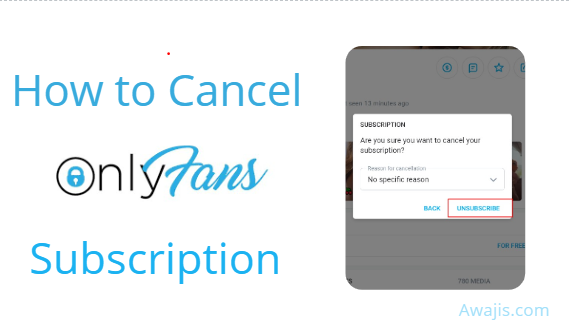
To cancel an OnlyFans subscription, open a web browser (not the app), log in, click your profile icon, and open Subscriptions. Under the Active tab, find the creator and turn Auto-Renew off, then confirm. You keep access until the end of the period you already paid for, and there are no refunds. You cannot cancel … Read more — How to Cancel Only-Fans Subscription