Facebook Dating is a free dating section inside the Facebook app for iPhone and Android, with no extra download and no paid tier. Anyone 18 or older in the U.S. (including Puerto Rico, Guam and the U.S. Virgin Islands) with a Facebook account at least 30 days old can open it from the app’s menu. There is no desktop version.
Checked against Meta’s Help Center and Newsroom, 30 September 2026. Facebook rolls out Dating features gradually, so your app may not show everything yet.
What is Facebook Dating?
Facebook Dating launched in the U.S. in September 2019. It lives inside the main Facebook app but uses a separate Dating profile, so nothing you do there shows on your timeline or in your friends’ feeds.
How it differs from Tinder, Bumble or Hinge:
- Not a separate app. You open it from the Facebook menu.
- Free. No subscriptions, boosts or paywalled features. Meta’s paid Meta One plans, launched in September 2026, do not mention Dating.
- Matches built on context. Suggestions draw on your interests, groups and events, not just photos.
- No swipe requirement. You can like a profile or comment on a specific photo or prompt.
- Anyone can message first. There is no Bumble-style rule about who opens.
The appeal is having something real to open with. If you both joined the same running group or marked the same concert as “interested”, the first message writes itself.
Who can use Facebook Dating?
Per Meta’s “Who can use Facebook Dating” page, you need to:
- Be at least 18.
- Have a Facebook account in good standing that is at least 30 days old.
- Live in a country where Dating is available.
- Use the Facebook app for iPhone or Android (it is not on the website).
Dating is available in the U.S. and its territories (Puerto Rico, Guam, the U.S. Virgin Islands and the Minor Outlying Islands), Canada, the U.K., most of the European Union, Mexico and most of South America, plus the Philippines, Thailand, Vietnam, Malaysia, Singapore and Laos. That is 52 countries plus four U.S. territories. It is not available anywhere in Africa, including Nigeria; readers there can use our guide to dating apps and sites that work in Nigeria.
Meta can also restrict new, inactive or rule-breaking accounts. If you delete your Dating profile, you have to wait 7 days before making a new one.
Key features
Dating assistant
An AI chat assistant that Meta announced on 22 September 2025 for the U.S. and Canada. You describe who you want in plain words (“someone from my hometown who likes being outdoors”) and it suggests profiles. It can also suggest date ideas and ways to improve your profile. It lives as a chat in the Matches tab and can search fields like job, education, height, interests and zodiac sign. Meta says your messages with other daters stay private.
Meet Cute
Announced the same day: Facebook picks one surprise match for you each week. You can start chatting or unmatch. Meta pitched it as a fix for swipe fatigue.
Crush
You can send a crush to a Facebook friend or a friend of a friend. This used to be called Secret Crush and stayed hidden unless the feeling was mutual. Meta’s current help page says the person will see that you liked them, in their Liked You tab. Only send one if you are fine with them knowing.
Matchmaker
Added in October 2024, Matchmaker lets you invite friends to browse and swipe on potential matches for you.
Video calls
Meta added “virtual dates” in 2020: once you match, you can invite the person to a video call, which runs through Messenger. It is a quick check before meeting in person.
How to turn on Facebook Dating
- Update the Facebook app from the App Store or Google Play.
- Allow location access (on iPhone: Settings > Facebook > Location > While Using the App).
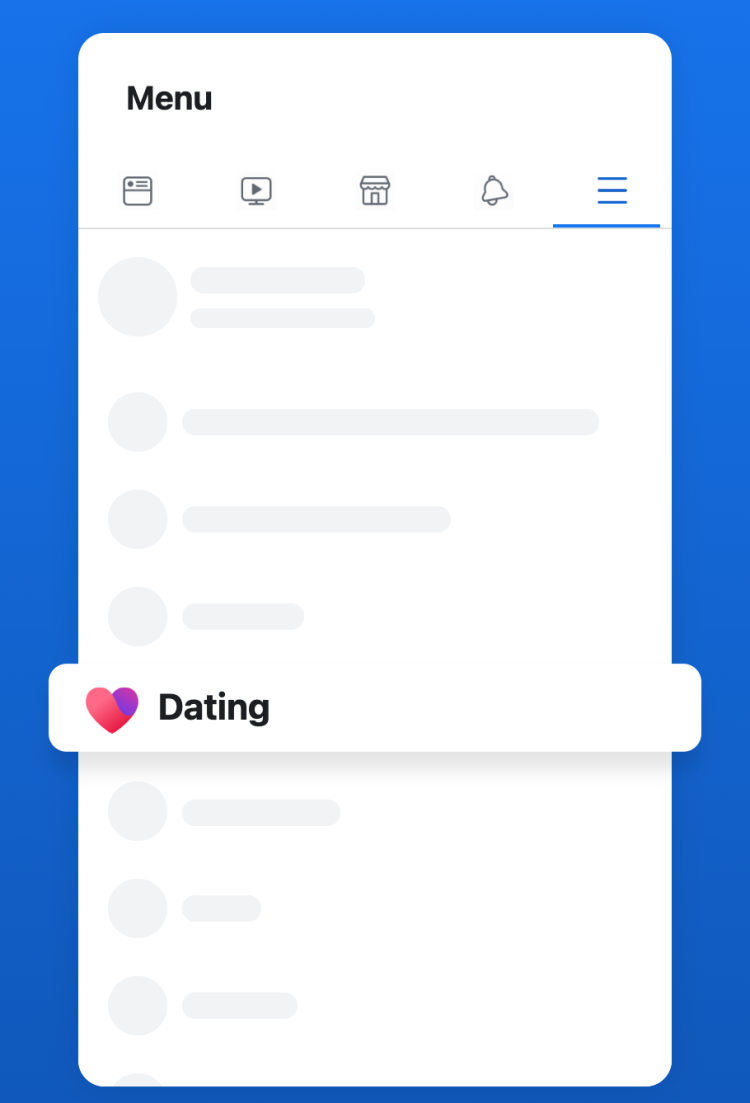
- Open Facebook and tap Menu (the three lines, or your profile picture).
- Tap Dating. If you don’t see it, tap See more.
- Tap Get Started and confirm your name and age, which come from your Facebook profile.
- Add photos and answer a few profile prompts.
- Set your preferences: age range, distance, and who you want to meet.
- Review your privacy settings, including whether friends of friends can see you.
No Dating option? See the troubleshooting answer in the FAQ below.
How matching and messaging work
Facebook suggests people based on your preferences, location, interests and activity. For each profile you can:
- Like the profile.
- Comment on a specific photo or prompt, which sends a like with a message.
- Pass to skip.
If they like you back or reply, you match. Conversations stay in a separate Dating inbox, not your regular Messenger chats. A comment about something specific in their profile gives them more to reply to than a plain like.
Privacy and safety
- Separate profile. Dating activity doesn’t post to your timeline, and your friends aren’t told you joined.
- Friends-of-friends control. You decide whether people connected to your friends can see you.
- Block and report. Meta says it won’t tell someone you reported them.
- Age checks. Meta may ask for a video selfie to confirm you are over 18 or not impersonating someone.
Two things to know from Meta’s Dating safety guidelines: Facebook Dating does not run criminal background checks or sex-offender registry searches, and it tells you to keep your last name, phone number, workplace and address off your profile. For a first date, meet in public, arrange your own ride, and share your location and plans with a friend. Also keep in mind that you are giving Meta your dating preferences and activity, which fall under Meta’s privacy policy.
Facebook Dating vs Tinder vs Bumble vs Hinge
| Feature | Facebook Dating | Tinder | Bumble | Hinge |
|---|---|---|---|---|
| Monthly price (1-month plan) | Free | Free, or $24.99 (Plus) to $49.99 (Platinum) | Free, or about $17 (Boost) to $80 (Premium+) | Free, or $32.99 (Hinge+) to $49.99 (HingeX) |
| See who liked you | Free | Gold and up | Premium | Hinge+ and up |
| U.S. users | 1.77 million daily users aged 18–29 | 7.3 million (all ages) | 3.6 million (all ages) | 4.4 million (all ages) |
| How you match | Interests, groups, events, AI assistant | Swipe on photos | Swipe | Like or comment on photos and prompts |
| Desktop | No | Yes (tinder.com) | Yes (bumble.com) | No |
Prices are U.S. list prices for a one-month plan as reported by Android Authority (Tinder), SwipeStats (Bumble) and VIDA Select (Hinge). Prices vary by age, location and device; longer plans cost less per month. Users: Meta via TechCrunch (Nov 2025) and Sensor Tower estimates cited in the same coverage. Facebook counts daily users, the others active users, so this is not like for like.
Facebook Dating wins on cost. Tinder, Hinge and Bumble win on pool size, which matters most outside big metro areas.
How many people use Facebook Dating?
In November 2025 Meta told TechCrunch that Facebook Dating had 21.5 million daily active users across 52 countries, including about 1.77 million daily users aged 18 to 29 in the U.S. Meta’s September 2025 announcement said hundreds of thousands of young adults in the U.S. and Canada create a profile every month. Meta has not published newer figures.
Who should use Facebook Dating?
Good fit:
- People who want a relationship and don’t want to pay $25 to $50 a month to see who likes them
- Active Facebook users who join local groups and events
- Anyone in a big city who wants a second free app alongside Hinge or Bumble
Not a great fit:
- People in small towns: the U.S. pool is far smaller than Tinder’s or Hinge’s, and it runs out fast
- Anyone uneasy about the company behind Facebook and Instagram also holding their dating activity
- People who want a polished standalone app, or who don’t use Facebook
Frequently asked questions
Is Facebook Dating a separate app?
No. It is a section inside the Facebook app for iPhone and Android. Your Dating profile is separate from your main profile.
Is Facebook Dating really free?
Yes. There are no subscriptions or paid boosts, and Meta’s new Meta One subscription does not list any Dating features.
Will my Facebook friends know I’m on Dating?
Not from Facebook. Nothing posts to your timeline and friends aren’t notified. The exception is Crush: if you send one to a friend, they will see you liked them.
Why don’t I see Dating in my Facebook menu?
Check that you are 18 or older, that your account is at least 30 days old, that the app is updated, and that your location is set to a supported country. Also tap See more in the menu, since Dating is often hidden there.
Is Facebook Dating available in Puerto Rico?
Yes. Meta lists Puerto Rico, Guam, the U.S. Virgin Islands and the U.S. Minor Outlying Islands alongside the 50 states.
Does Facebook Dating run background checks?
No. Meta says it does not run criminal background checks or sex-offender registry searches, so do your own checking before you meet.
Leave a Reply
You must be logged in to post a comment.