To cancel an OnlyFans subscription, open a web browser (not the app), log in, click your profile icon, and open Subscriptions. Under the Active tab, find the creator and turn Auto-Renew off, then confirm. You keep access until the end of the period you already paid for, and there are no refunds. You cannot cancel through the Apple App Store or Google Play, because OnlyFans charges your card directly.
How do you cancel an OnlyFans subscription?
You turn off Auto-Renew on the OnlyFans website. The mobile app does not handle billing, so do this in a browser on your phone or computer.
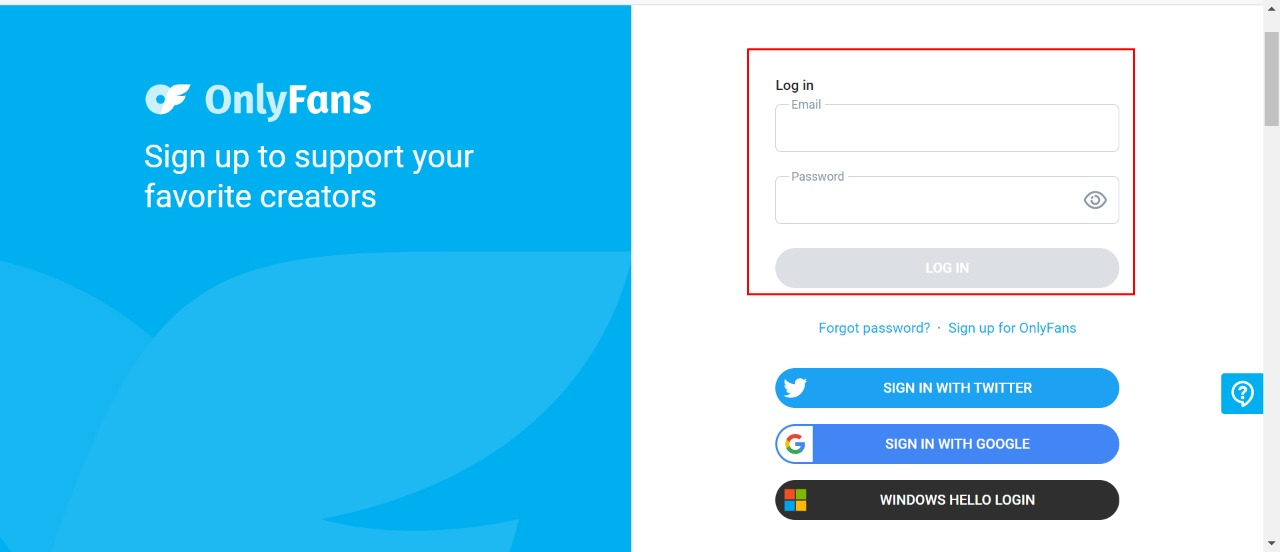
- Open a web browser and go to the OnlyFans website.
- Log in to your OnlyFans account.
- Click your profile icon in the top-right corner, then select Subscriptions.
- Open the Active tab and find the creator you want to cancel.
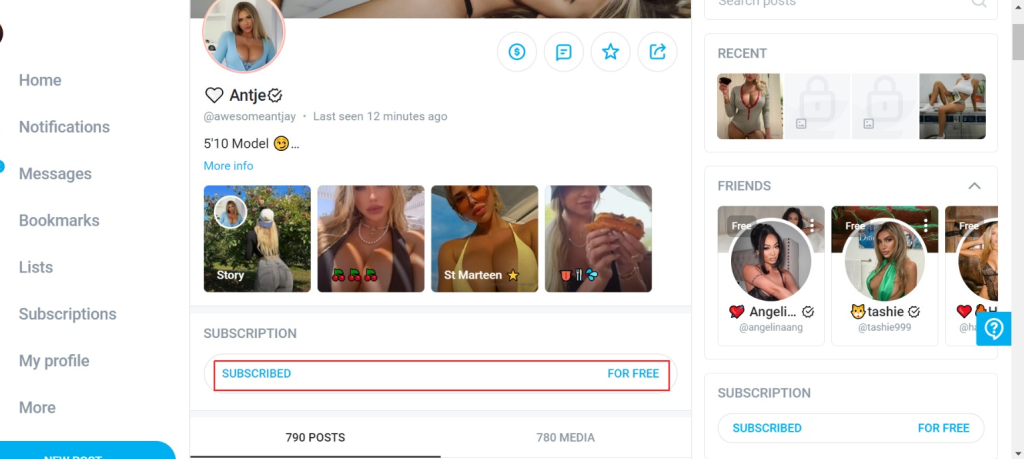
- Click the Auto-Renew toggle to switch it off.
- Choose whether to only stop auto-billing, or stop auto-billing and unfollow the creator right away.

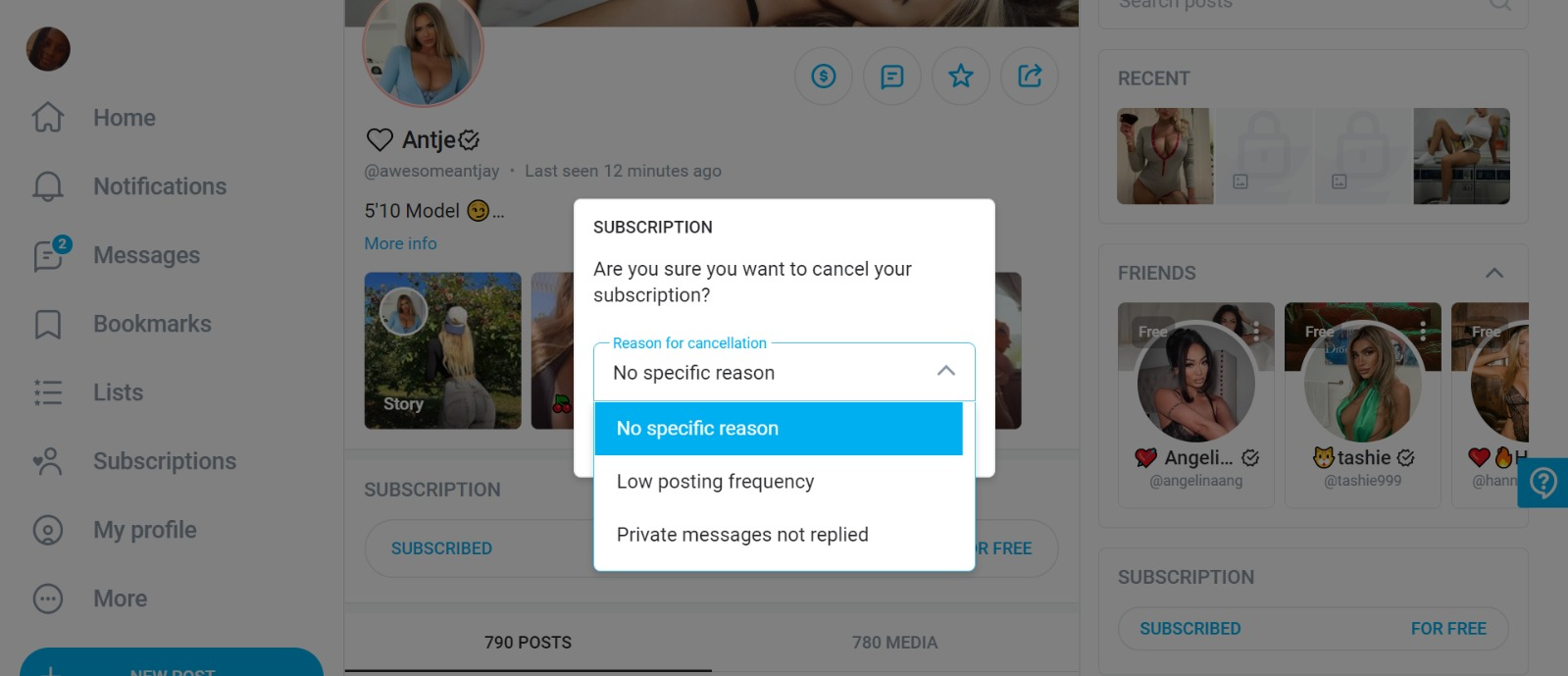
- Pick a reason for canceling, or type your own. You can also skip this.
- Confirm to finish.
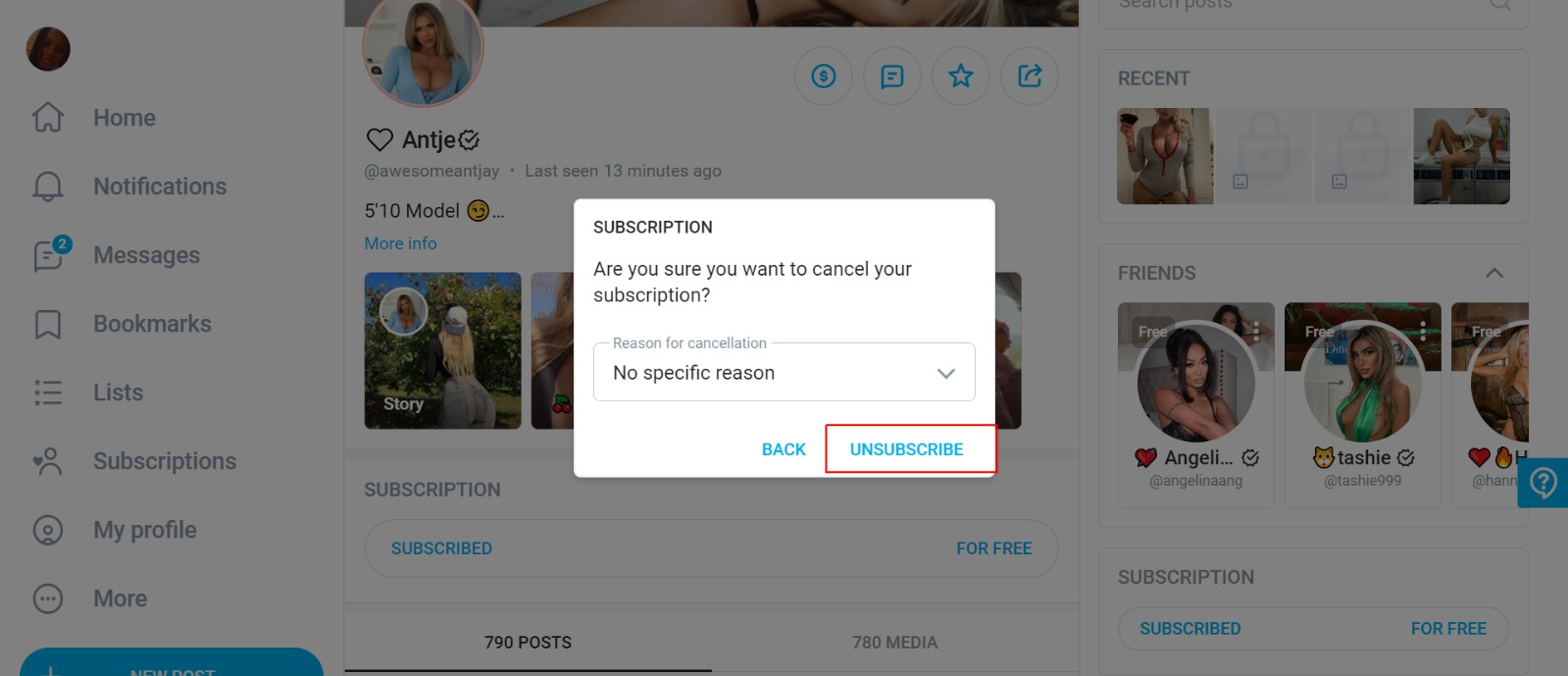
Once auto-renew is off, the subscription stops at the next billing date. You can still see the creator’s content until that date if you only turned off billing. If you also chose to unfollow, the content disappears right away.
You can also email support@onlyfans.com to ask for help with a subscription.
Will you keep access, and can you get a refund?
You keep full access to the creator’s content until the last day of the period you already paid for. Auto-renew only stops the next charge; it does not end the current month early.
There are no refunds. OnlyFans payments are final, even if you cancel right after a renewal. To avoid one more charge, turn off Auto-Renew at least 24 hours before your renewal date.
Can you cancel through the App Store or Google Play?
No. OnlyFans bills your credit or debit card directly and does not use in-app purchases. So the Apple App Store and Google Play have no cancel option for it. Manage every subscription on the OnlyFans website instead.
Read: How to Cancel Disney Movie Club Subscription
How do you delete your OnlyFans account?
Deleting your account removes your profile and cancels every active subscription at once. Here’s how:
- Go to OnlyFans.com and sign in to your account.
- Click your profile picture in the top-right corner.
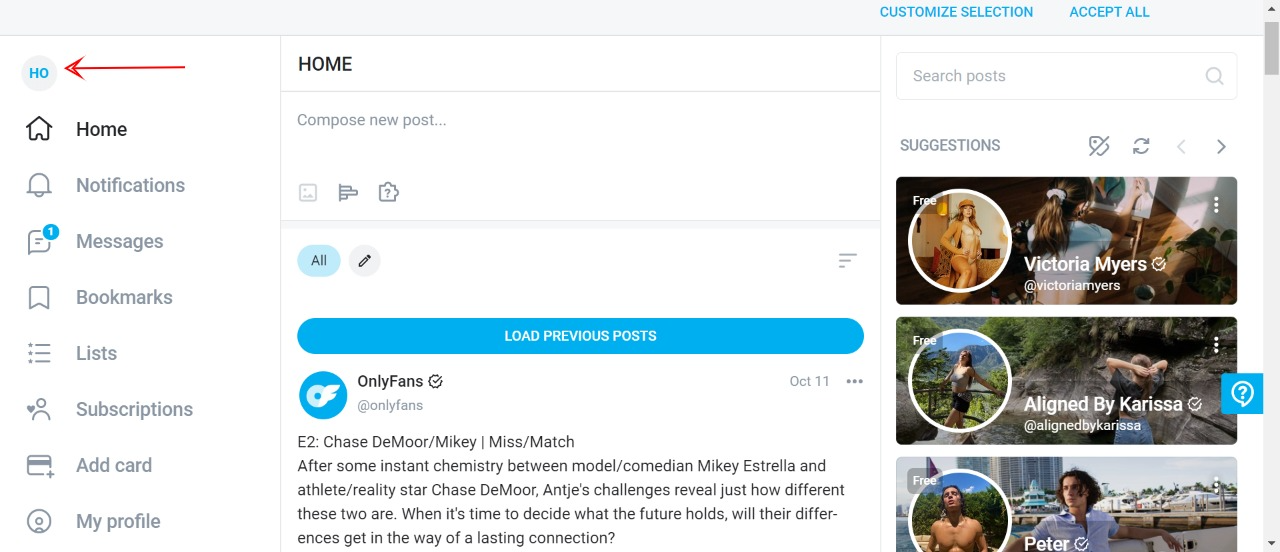
- Open the Settings menu.
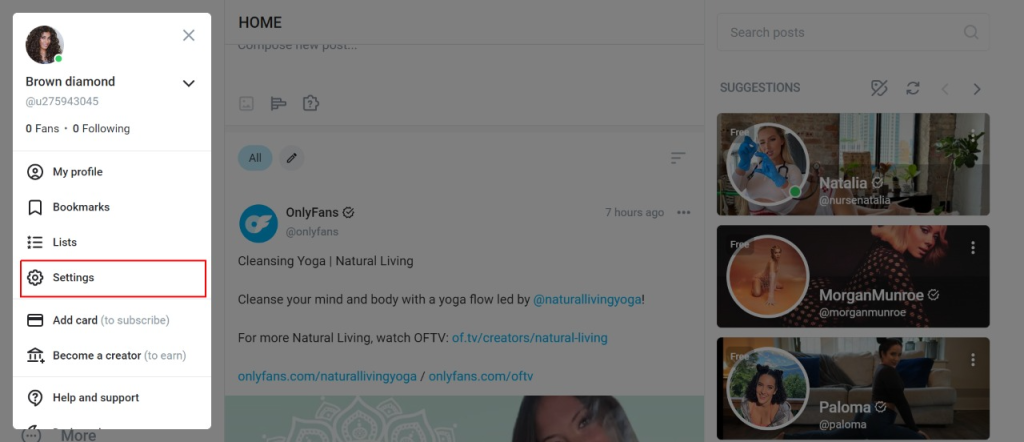
- Select Account.
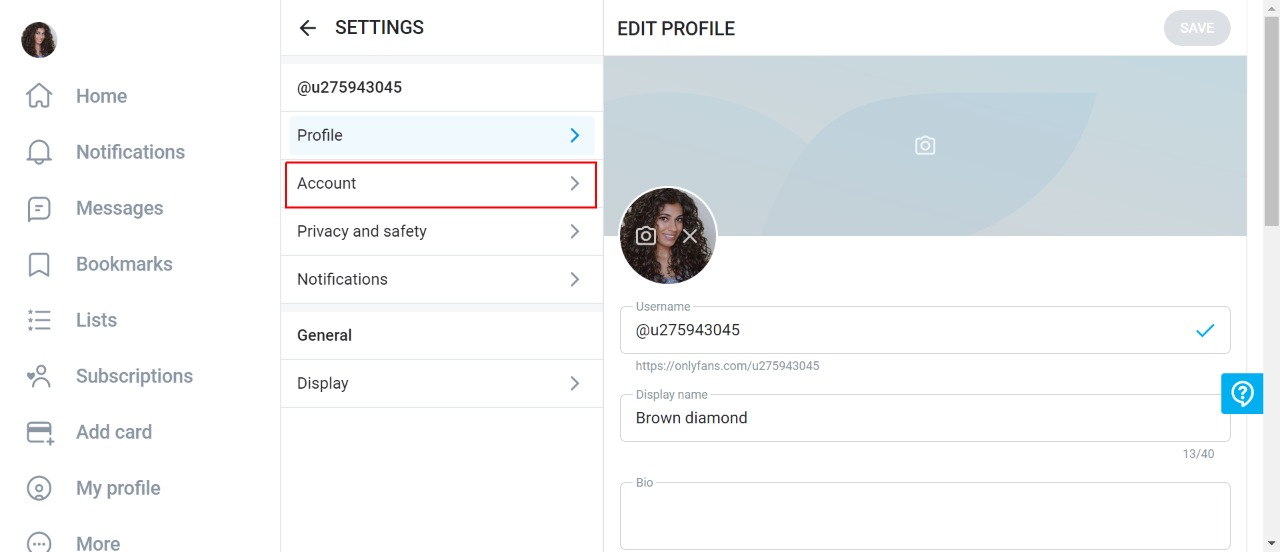
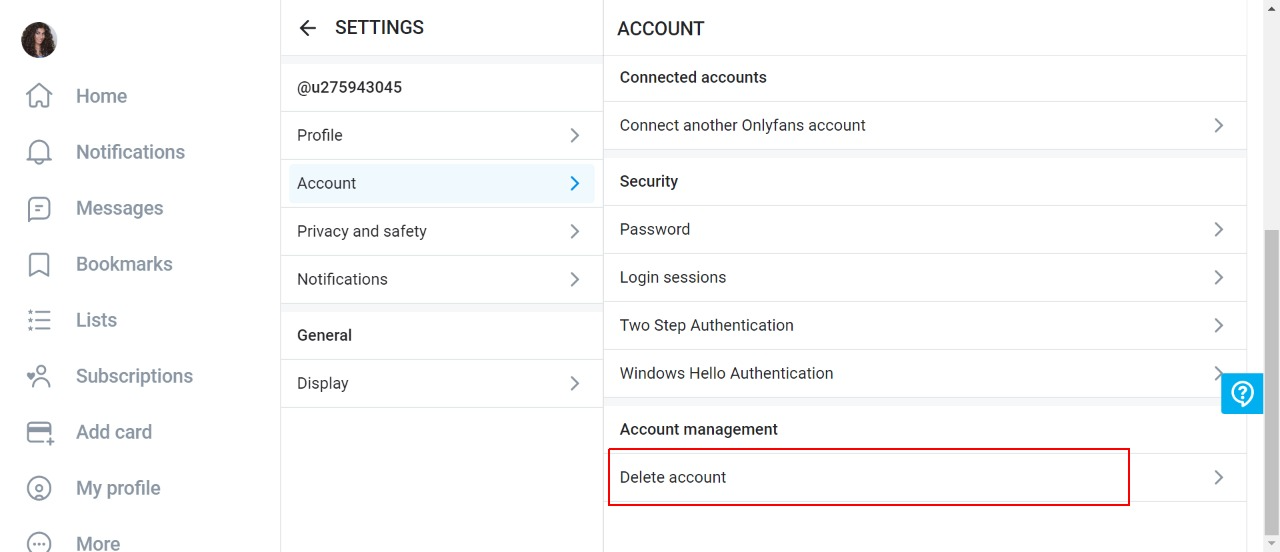
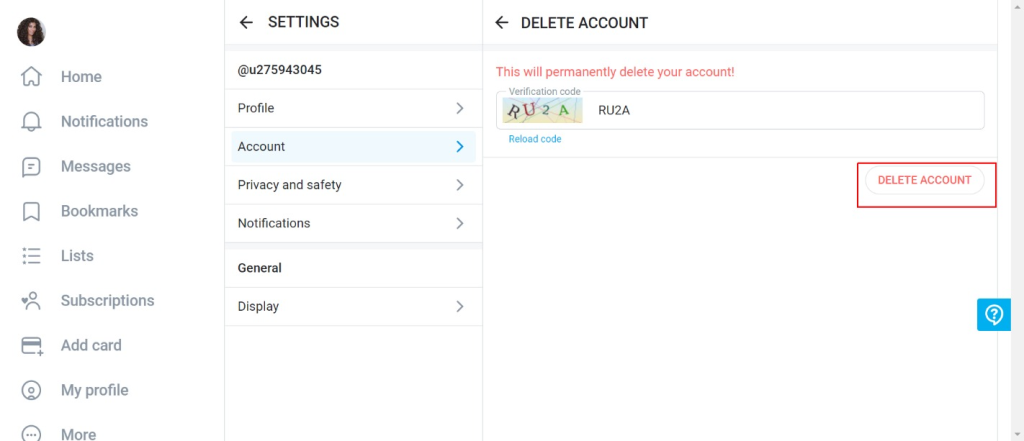
- Click Delete Account at the bottom of the page.
- Enter the code from the image to prove you are not a robot.
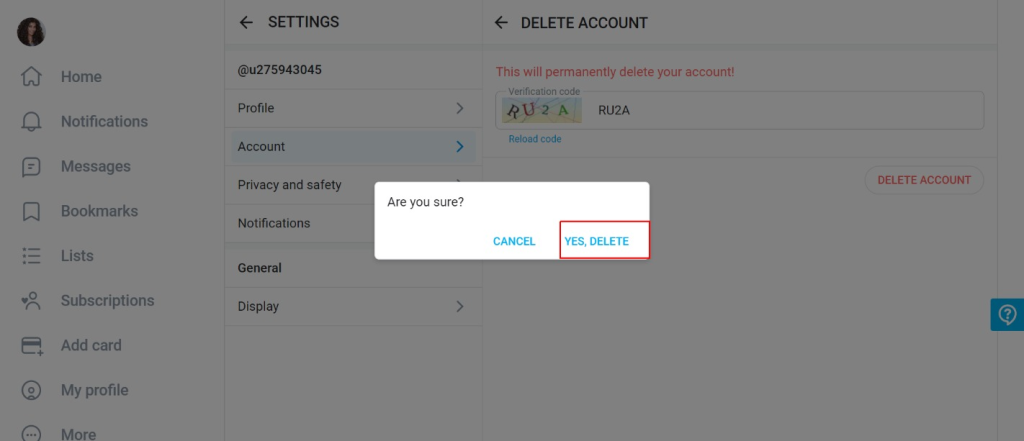
- Press Yes, Delete to confirm.
Your account is deleted within 24 hours, after which you can no longer view content as a subscriber.
If you are a creator, your account stays active until all subscriptions to you expire; no new fans can sign up in the meantime. Once those subscriptions end, the account is permanently deleted. You can withdraw money left in your wallet for up to a month after deleting.
How do you sign up for OnlyFans?
- Visit OnlyFans in your web browser.
- Click Sign Up for OnlyFans on the homepage.
- Choose how to register:
- By email: enter your email, create a username, and set a password.
- By social media: register with your Google, X (Twitter), or Apple account.
- Verify your account by clicking the link OnlyFans emails you.
- Set up your profile with a picture, username, and bio.
- Add payment details (optional):
- To subscribe to creators, add a credit or debit card.
- To sign up as a creator, add a bank account for payouts.
As a fan, you can explore creators and subscribe. As a creator, you can upload content and set your own subscription prices.
Read: Nugs.net Subscription Price
Frequently asked OnlyFans questions
Does deleting OnlyFans cancel your subscriptions?
Yes. Deleting your OnlyFans account cancels every active subscription at once, and your other data is removed from the platform too.
Is your payment information on OnlyFans safe?
OnlyFans uses secure payment processors to protect your card details. It charges cards directly and does not accept PayPal, Apple Pay, or Google Pay.
What’s the difference between unfollowing and disabling re-bill?
When you cancel, OnlyFans gives you two choices. Turn off auto-renew only, and your subscription runs until the next billing day, with full access until then. Turn off auto-renew and unfollow, and the subscription ends right away and the creator’s content is removed.
Why does OnlyFans ask why you want to unsubscribe?
The platform uses the reason for data analysis and to spot term violations. Your answer has no effect on your account or your cancellation.
Can you cancel OnlyFans on the mobile app?
No. Billing is handled only on the OnlyFans website. Open a browser on your phone or computer, go to Subscriptions, and turn off Auto-Renew there.