To downgrade Google Workspace, sign in to the Admin console, go to Billing > Subscriptions, open your plan, and choose More > Downgrade. Google walks you through three short screens (Product details, Payment plan, Checkout) and the switch is done when you click Place Order. Before you start, check that each user is under 30 GB of storage, because that is all Business Starter gives.
We downgraded our own one-user account from Business Standard to Business Starter on 1 October 2026 and captured every screen below. Steps and prices checked against Google’s Workspace Admin Help the same day.
Prefer to watch? Here is the whole downgrade in under two minutes:
What you need before you start
- A super admin login. The Billing menu only appears for admins with billing privileges.
- The Flexible Plan. On the Annual Plan with yearly payments, Google only lets you move to the Annual Plan with monthly payments. To change editions, Google’s help page says to switch to the Flexible Plan first.
- Storage under 30 GB per user. Business Starter pools 30 GB per license. Multiply your license count by 30 to get your new ceiling.
Step 1: Check your storage
Open drive.google.com/settings/storage while signed in to the Workspace account. Ours used 13.41 GB in total (Photos 7.05 GB, Gmail 3.9 GB, Drive 1.5 GB), well under 30 GB.
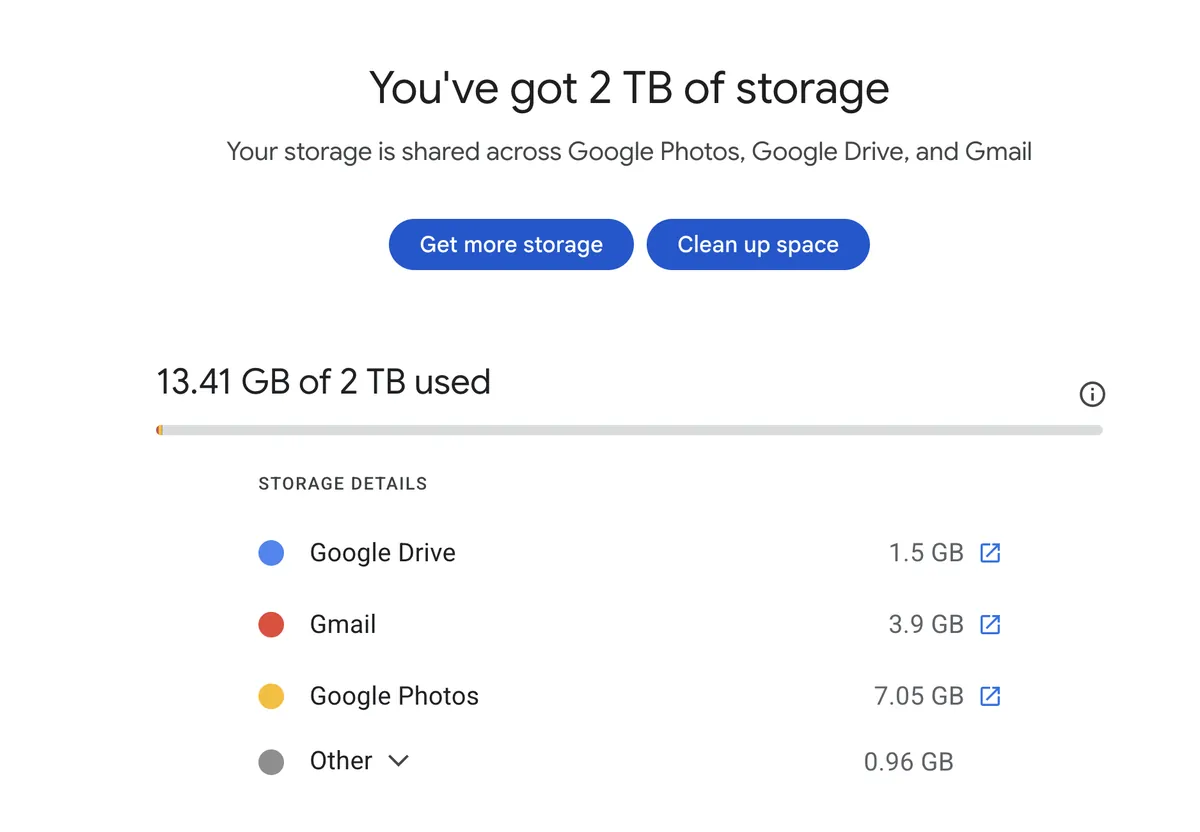
If you go over the limit after switching, Google warns that Gmail users will soon be unable to send or receive mail, and Drive stops taking uploads. Clean up first.
Step 2: Open Billing in the Admin console
- Go to admin.google.com and sign in.
- In the left menu, click Billing, then Subscriptions.
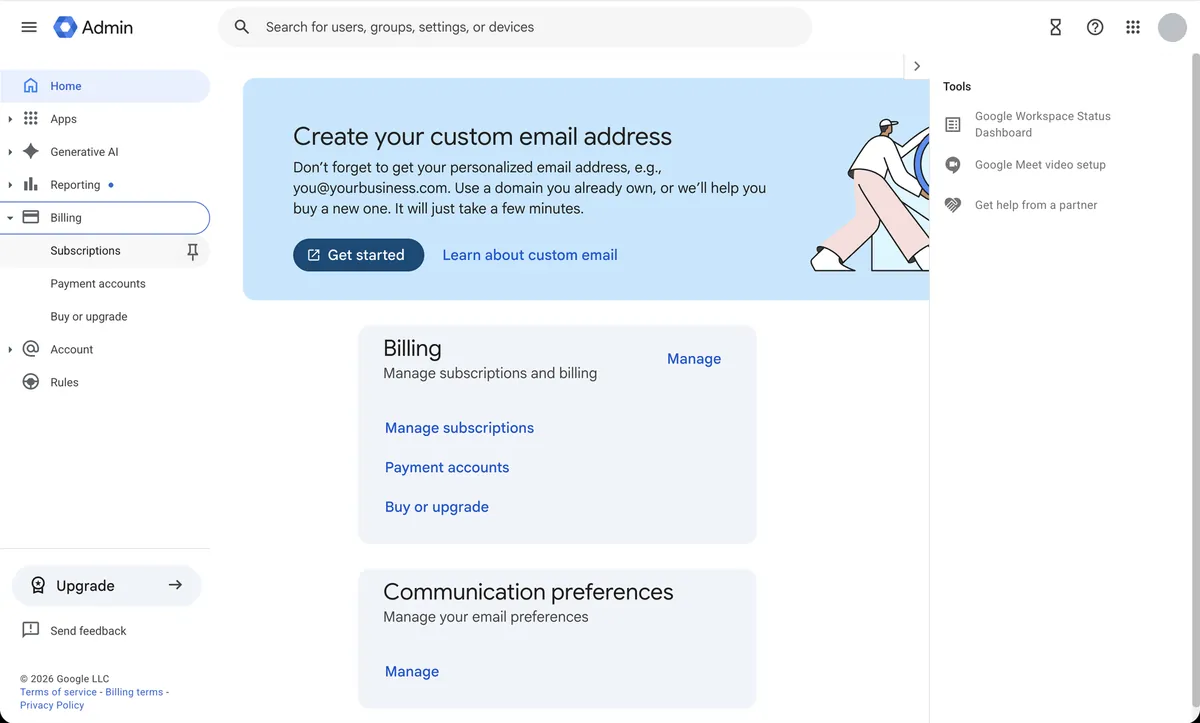
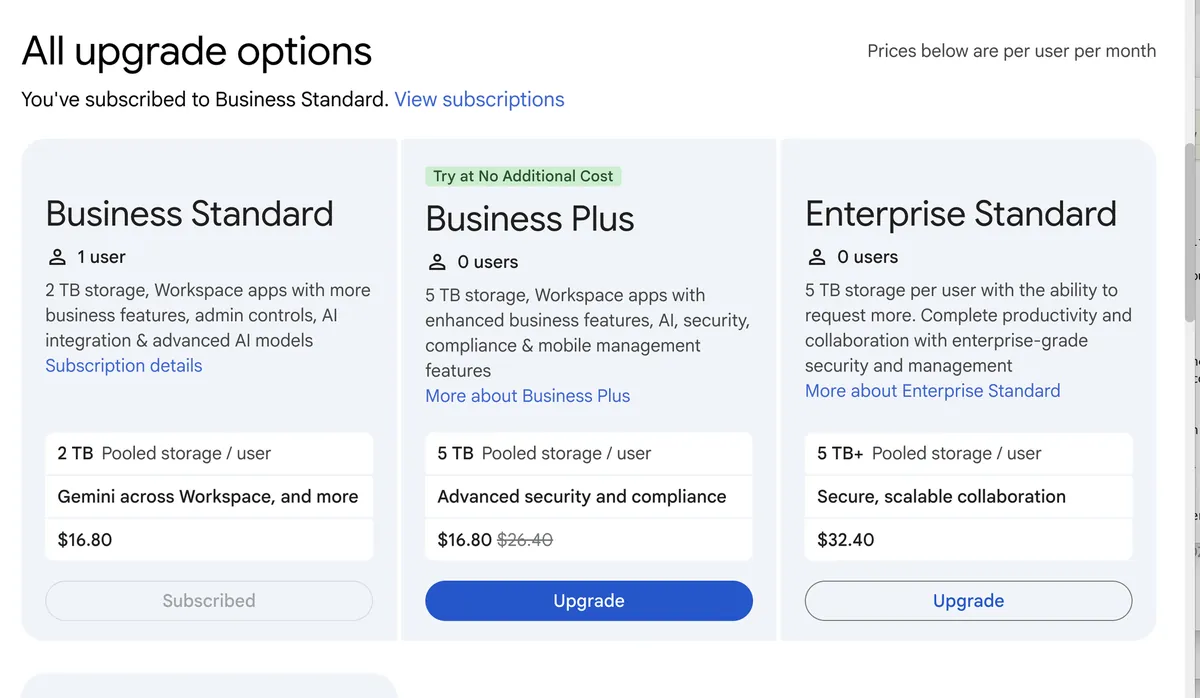
Skip Buy or upgrade. That page only lists plans above yours, so Business Starter never appears there.
Step 3: Open your current subscription
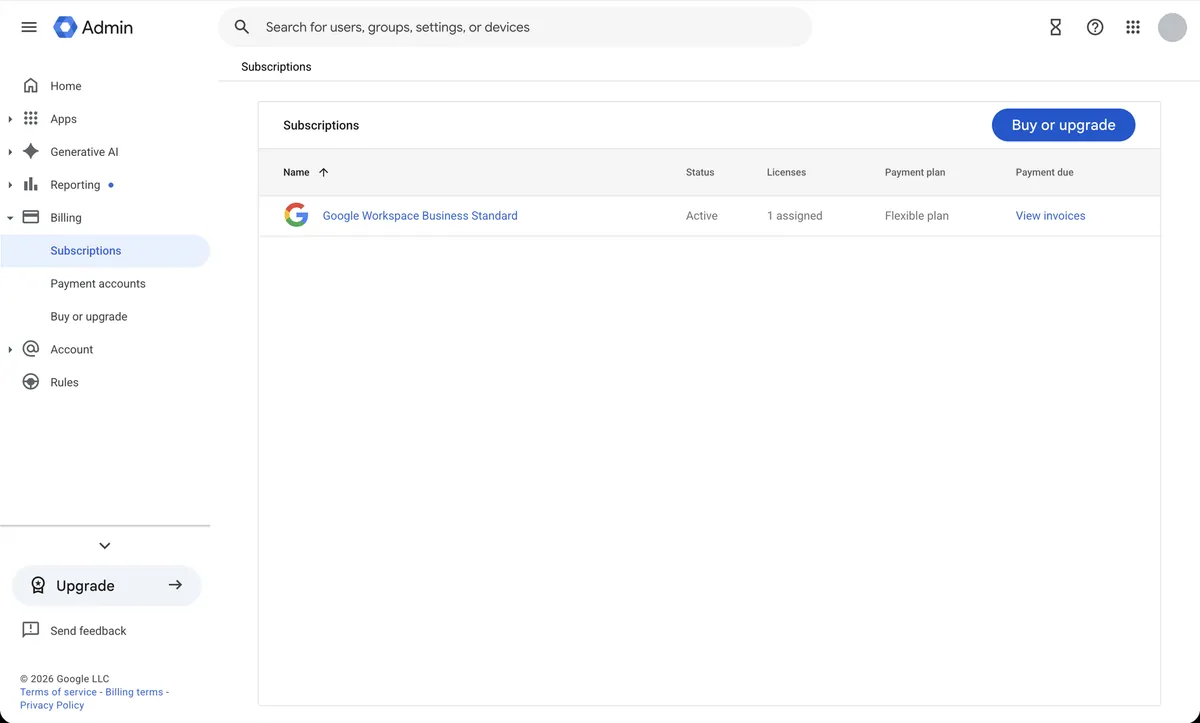
Click the subscription name. Ours read “Google Workspace Business Standard”, Active, 1 assigned license, Flexible plan.
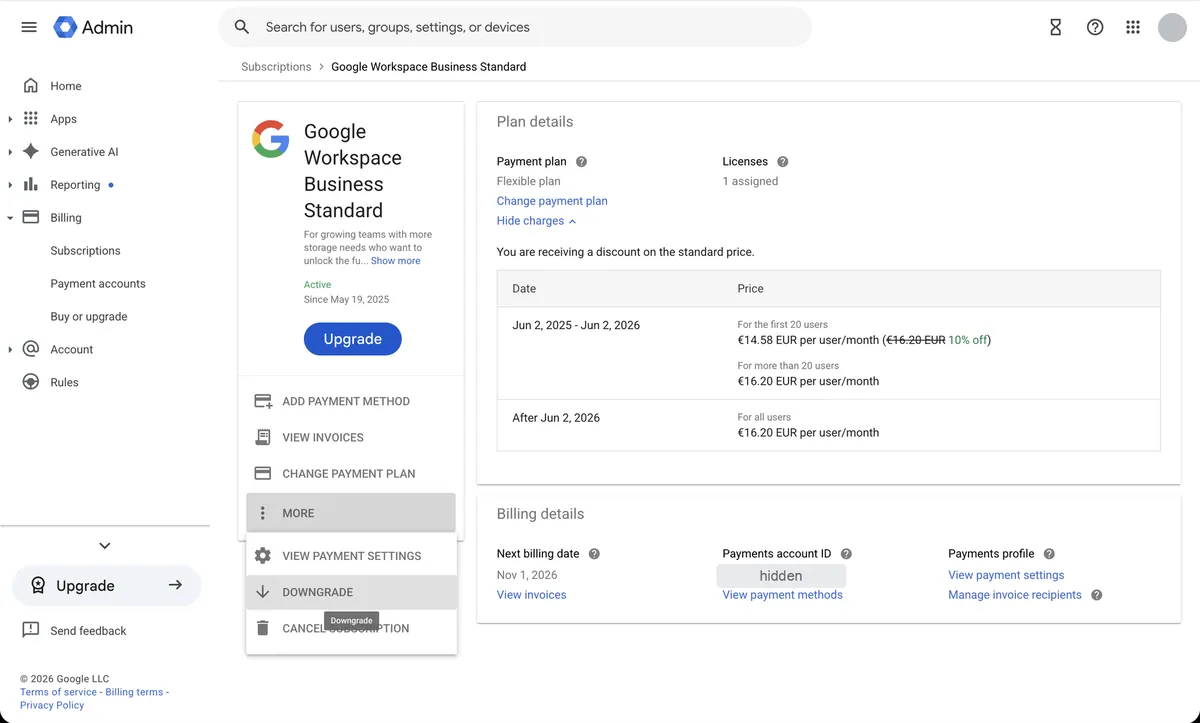
Step 4: Click More, then Downgrade
On the subscription page, click More under the plan’s buttons, then Downgrade. Cancel Subscription sits right below it, so click carefully.
Step 5: Read what you’ll lose, then continue
Google shows a “Downgrading to Business Starter” summary first. For us it listed:
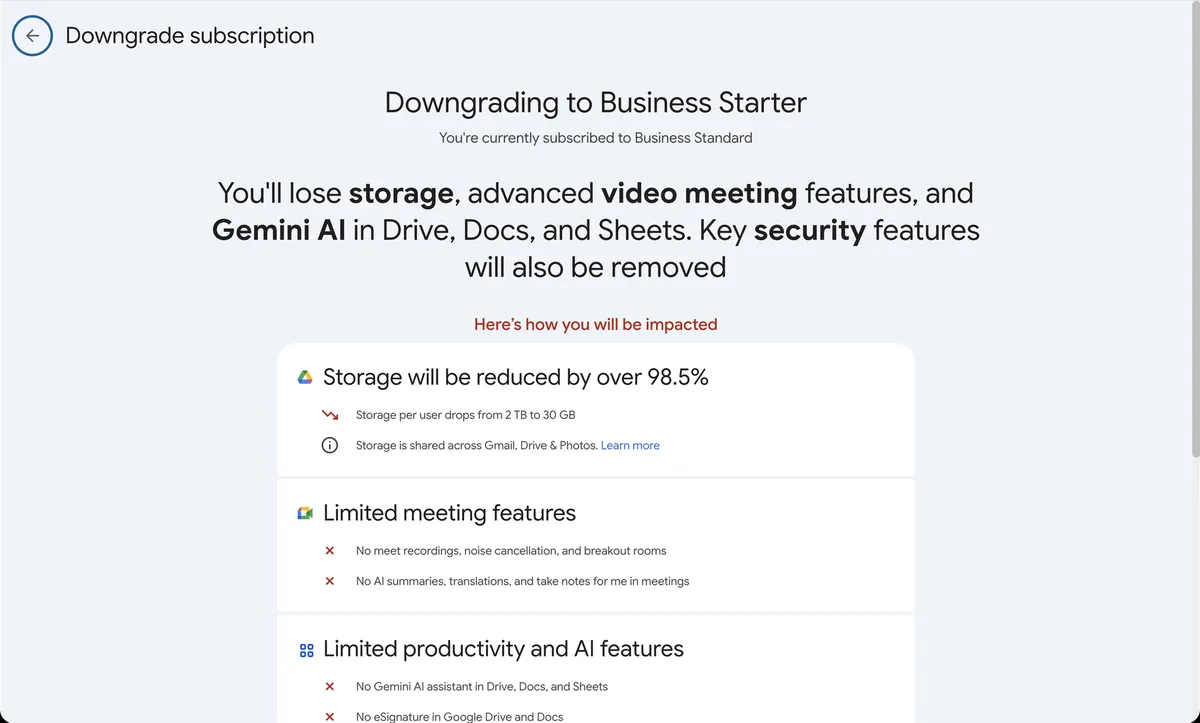
- Storage: 2 TB down to 30 GB per user, shared across Gmail, Drive and Photos.
- Meet: no recordings, noise cancellation, breakout rooms, AI summaries, translations or “take notes for me”.
- Productivity: no Gemini in Drive, Docs and Sheets, no eSignature, no email marketing templates or mail merge.
- Security: no enhanced phishing protection in Gmail, no data-region setting, no protection against malware or unsafe access to files.
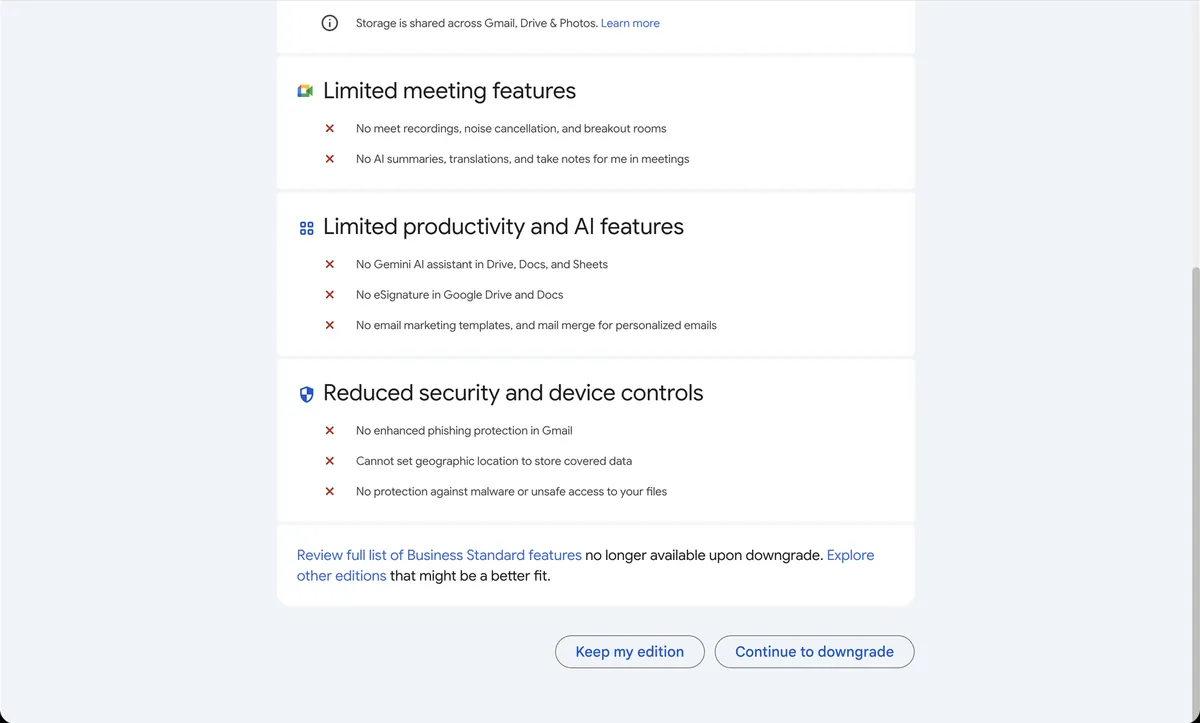
Click Continue to downgrade.
Step 6: Review Product details and click Next
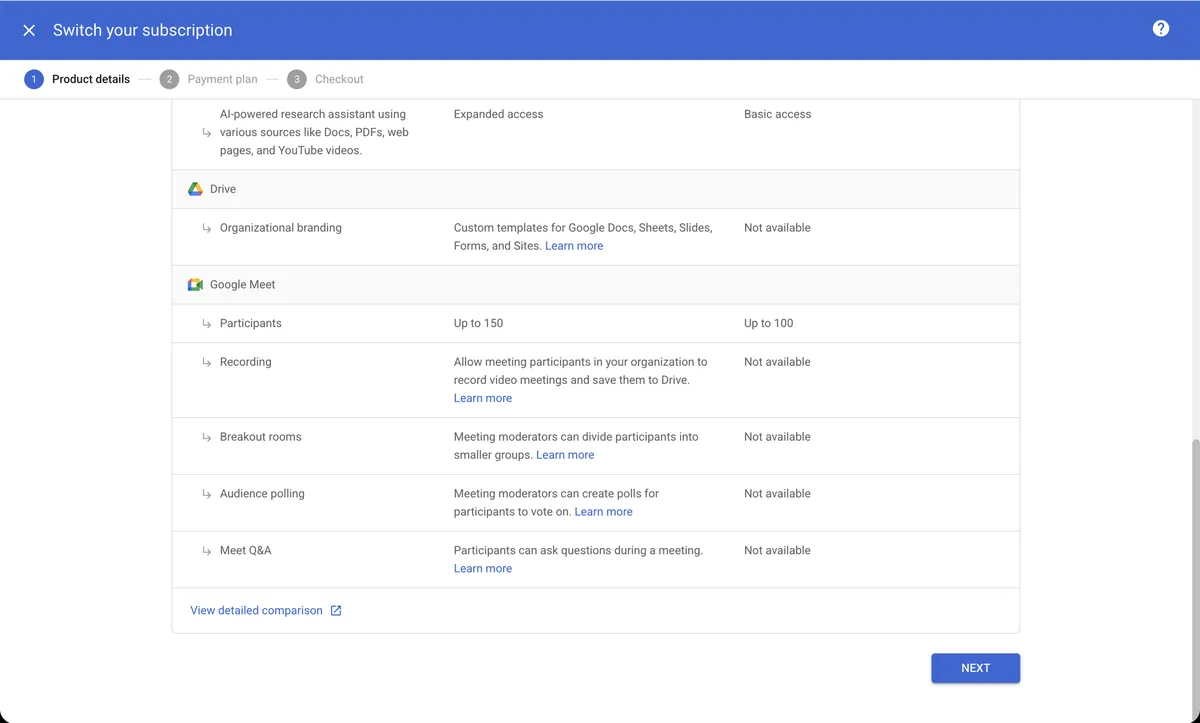
The “Switch your subscription” wizard opens with three steps. The first, Product details, carries two warnings: some features may only work once your domain is verified, and you lose Gemini in Workspace apps, Gemini Pro and Gemini Notebook. Gemini stays in Gmail only.
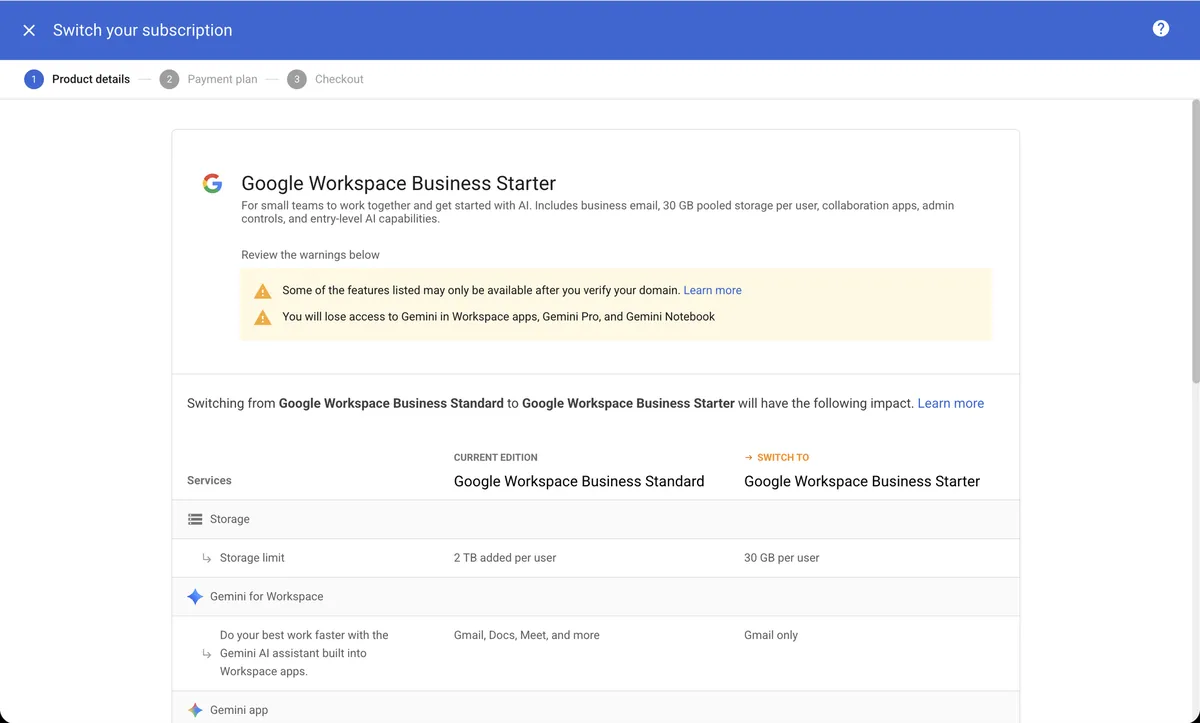
Scroll down for the side-by-side table. It shows a few losses the first summary skips: Meet calls drop from 150 to 100 participants, and polls, Q&A and custom Docs templates (organizational branding) go away. Click Next.
Step 7: Pick Flexible or Annual, then Checkout
- Flexible plan: no commitment, billed monthly for the users you have that month. Cancel or change plans any time.
- Annual plan (monthly payment): about 16% cheaper, but you commit to 12 months. Cancelling early costs the rest of the year’s balance, and it renews automatically.
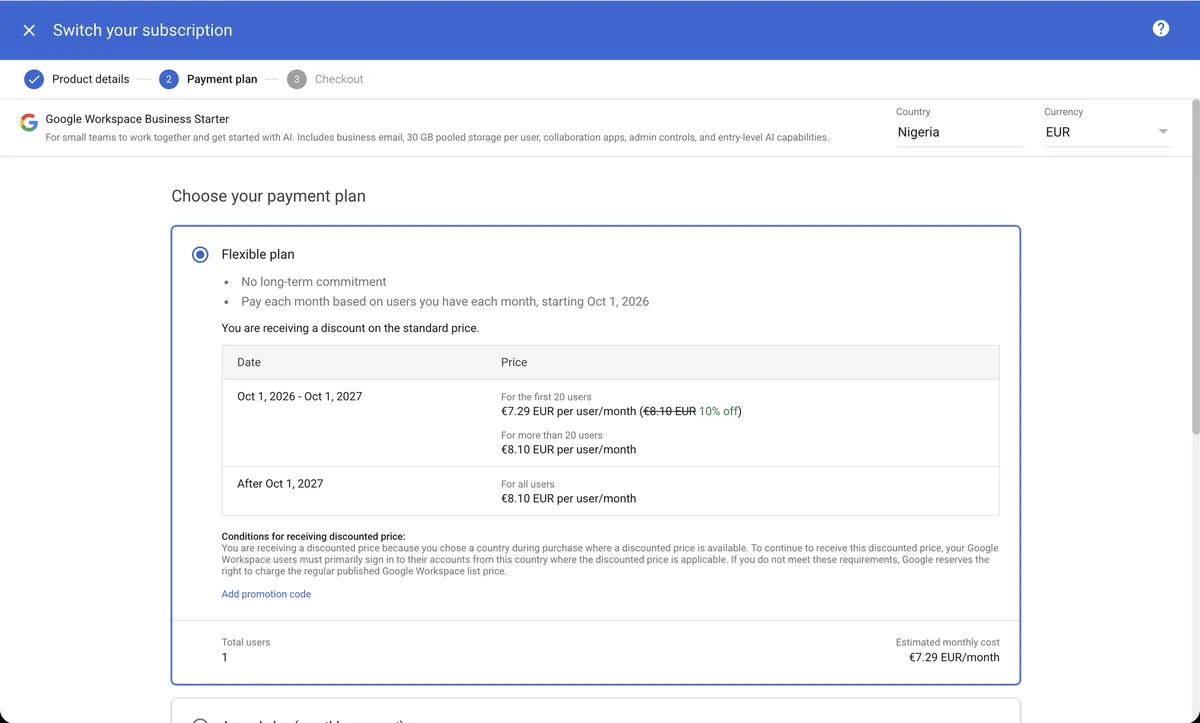
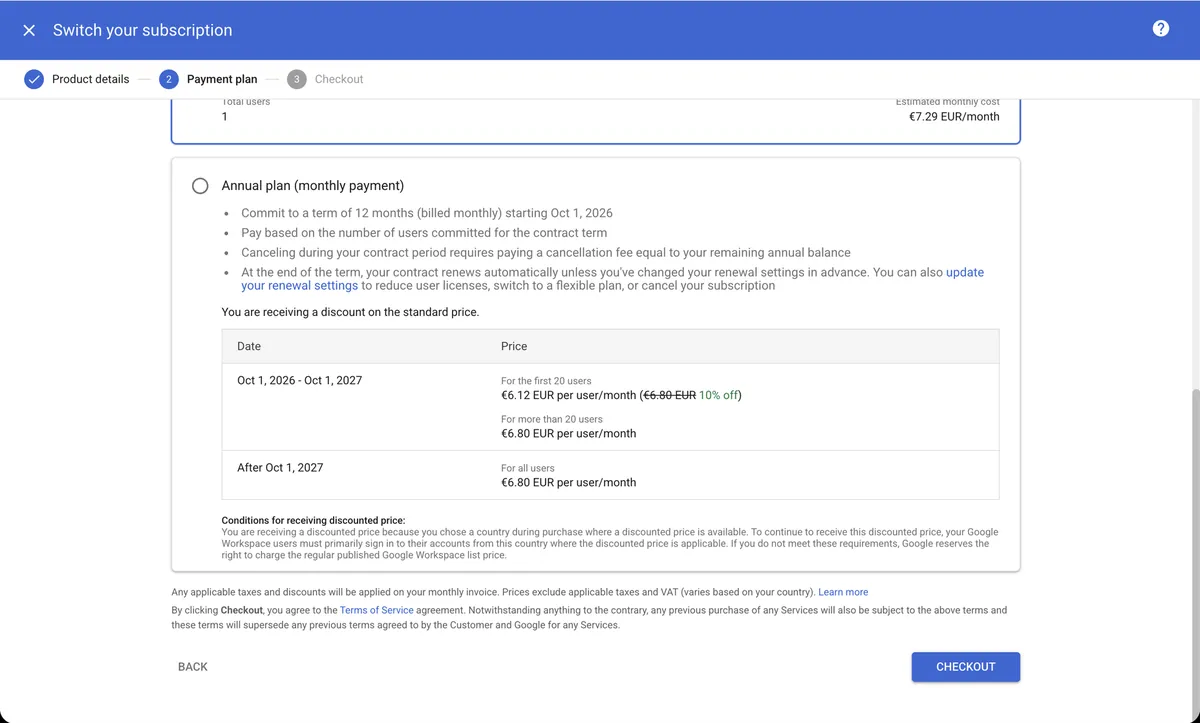
We kept Flexible. For one user, the Annual Plan saved us only about €14 a year, not enough to give up the option to leave. Click Checkout.
Your screens may show euros or another currency. Google prices by billing country, and our account bills from Nigeria, so it shows €7.29 a month instead of the U.S. price.
Step 8: Place the order
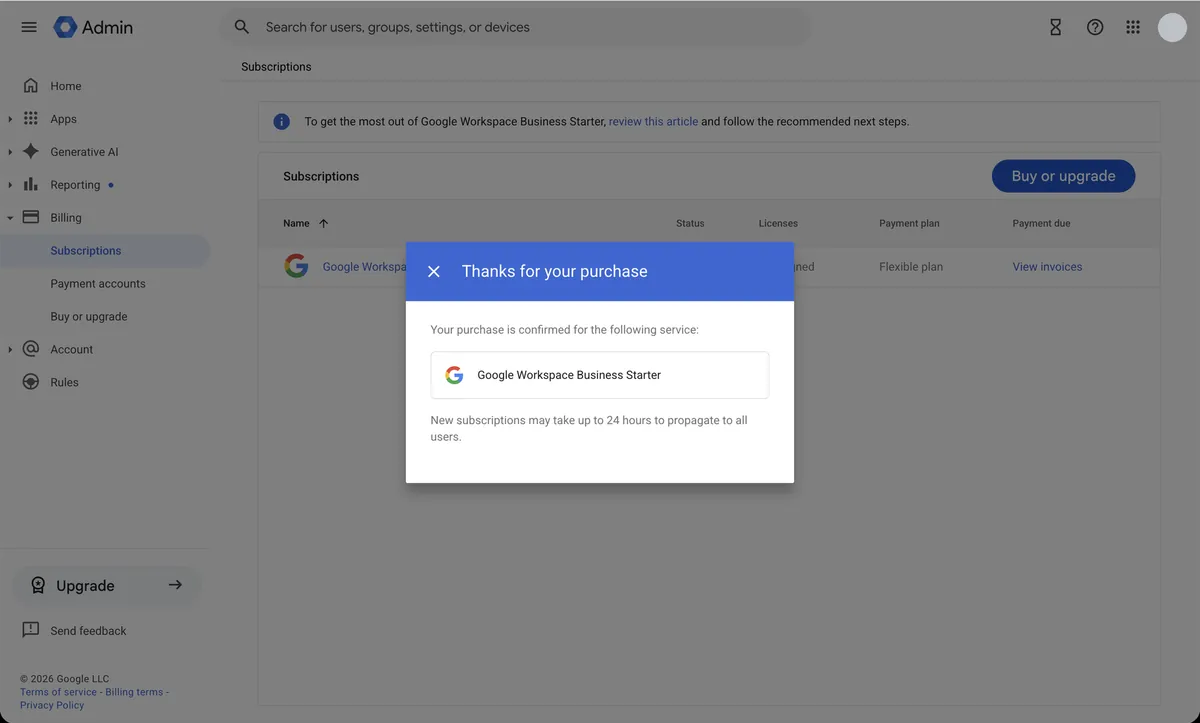
The Checkout screen repeats the plan and price. Click Place Order.
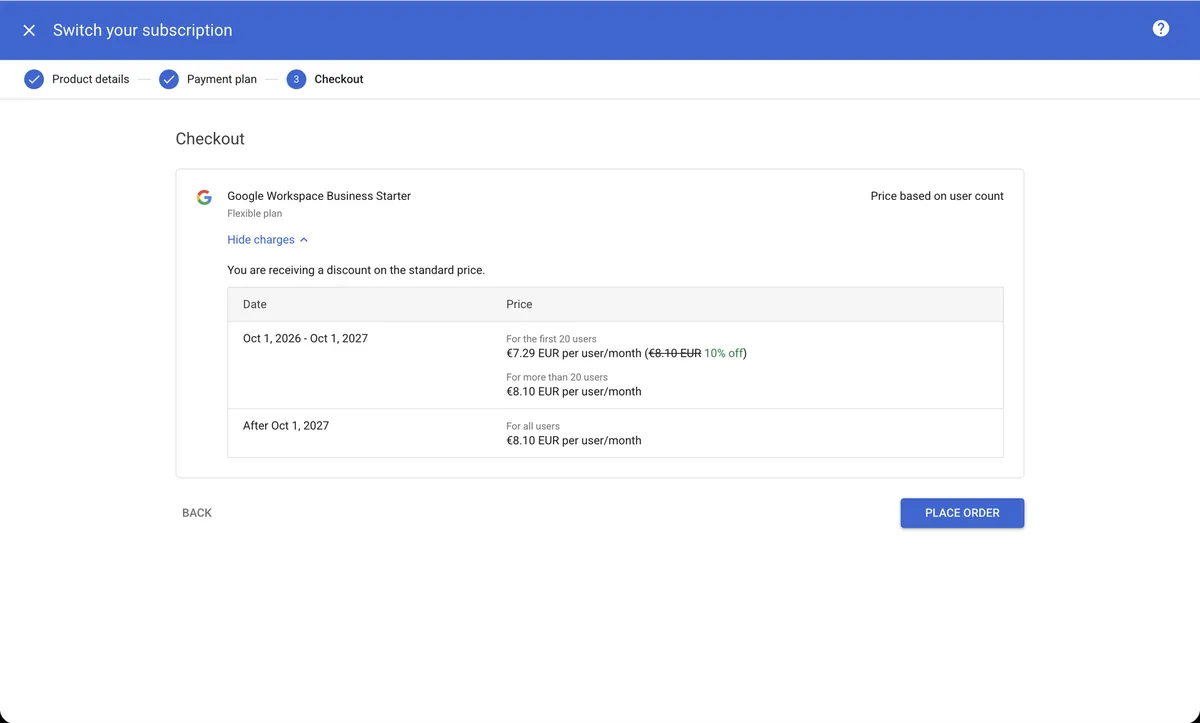
You get a “Thanks for your purchase” confirmation. Google says the change can take up to 24 hours to reach every user.
How much you save
| Plan (U.S. list price) | Flexible Plan | Annual Plan |
|---|---|---|
| Business Standard | $16.80/user/month | $14/user/month |
| Business Starter | $8.40/user/month | $7/user/month |
| Yearly saving per user | $100.80 | $84 |
U.S. list prices from Google Workspace pricing, 1 October 2026. Prices before tax; other countries pay different rates.
What doesn’t change
- Your email address and inbox. Mail keeps arriving, with no DNS changes.
- Your Google account. Search Console, Google Analytics, AdSense, Google Ads and Google Cloud are free services tied to the account, not Workspace features, so they keep working.
- Email aliases. You can still add addresses like support@ to a user at no extra cost.
- Your files. Nothing is deleted. You just can’t add more once you pass the limit.
Can you change your mind?
Yes. On the Flexible Plan you can upgrade back from Billing > Buy or upgrade at any time. If the downgrade removed a feature like Vault or data loss prevention, Google gives you 51 days to upgrade and get it back. After that, you have to wait at least 85 days.
Is it worth it?
For a one- or two-person business that mainly uses Workspace for email, usually yes: about $100 a year saved per user. Stay on Business Standard if you record Meet calls, run calls with more than 100 people, rely on Gemini inside Docs and Sheets, or store more than 30 GB per person.
Leave a Reply
You must be logged in to post a comment.