How to cancel your BarkBox subscription: Go to barkbox.com, log in, and open Account > Subscription Settings. Edit your plan and select disable auto-renewal. BarkBox bills on the 3rd of each month, so turn off auto-renewal before then to stop the next box. Monthly plans can stop anytime. On a 6- or 12-month plan, disabling auto-renewal stops future renewals, but you still get boxes through your committed term. You can also pause for up to 3 months instead.
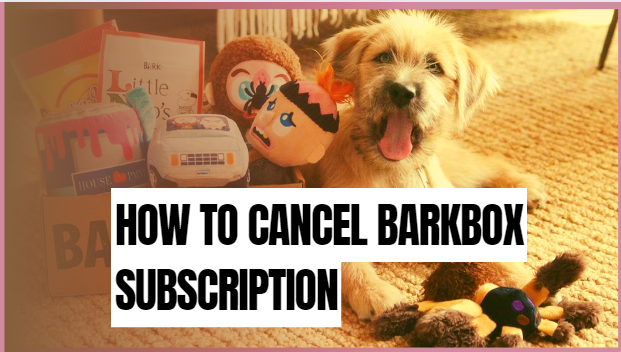
BarkBox is a monthly subscription box for dogs, packed with treats, chews, and toys built around a new theme each month.
What is BarkBox?
BarkBox is a subscription box tailored to your dog. You build the box by sharing your dog’s details, such as sex, weight (small 0–20 lbs, medium 20–50 lbs, large 50+ lbs), breed, and food allergies.
Read: How to Cancel Checkpeople.com Account
What should you know before canceling?
A few points decide how and when your subscription ends:
- Billing date: BarkBox bills on the 3rd of each month. Disable auto-renewal before the 3rd to skip the next box.
- Monthly plans: You can stop anytime by turning off auto-renewal.
- 6- or 12-month plans: Turning off auto-renewal stops future renewals, but you still receive every box through your committed term. The subscription ends when the term does.
- Refunds: BarkBox usually does not refund prepaid plans, but customer service may help in some cases. Ask about a prepaid multi-month plan.
- Pause instead: If cost is the issue, pause your subscription for up to 3 months rather than canceling.
How do you cancel a BarkBox subscription?
There are two ways to cancel: turn off auto-renewal on the website, or contact customer service. The website is faster, so try it first.
Cancel your BarkBox subscription online
This is the fastest method. Once it’s done, your account won’t renew again.
- Visit barkbox.com, click login on the upper right, and enter your details.
- Select account from the menu on the upper right.
- Open subscription settings, where you’ll see your plan and renewal date.
- Click to edit your plan and select disable subscription auto-renewal.
- Confirm. If you do this before the 3rd, you won’t get another box. Cancel after the 3rd and you’ll receive one more box.
On a 6- or 12-month plan, you’ll keep getting boxes until the committed term ends, even after you turn off auto-renewal.
Contact BarkBox customer service
Prefer to talk to a person? Email happy@barkbox.com with your BarkBox account number and a clear request to cancel. They’ll close the subscription and can suggest a better-fit plan. On a yearly plan, ask customer care how cancellation works for your term.
Read: How to Cancel Cerebral Subscription
How to contact BarkBox support
If online cancellation stalls, reach BarkBox here:
- Live chat: on the BarkBox website
- Email: happy@barkbox.com
- Phone: 1-855-520-BARK (2275)
Pros and cons of BarkBox
Pros:
- The box is tailored to your dog.
- BarkBox donates 10% of profits to animal shelters and rescues.
- You can buy extra supplies for your dog.
- Customer support is available to help.
- You can swap any items your dog doesn’t like.
- Discount codes and rebates are easy to find online.
Cons:
- Some toy designs aren’t ideal for every chewer; supervise play with single-hole toys.
- There are no boxes for cats.
- If you spend under $20 a month on pet supplies, it may not pay off.
- You have to cancel yourself, so set a reminder before the renewal date.
What can you do instead of canceling?
If you like BarkBox but want a break, try one of these:
- Pause: pause your subscription for up to 3 months.
- Change your plan: downgrade to a cheaper plan or switch to a less frequent delivery.
- Gift it: if you have months left, gift them to another dog owner.
FAQs and Answers
Is BarkBox worth it?
Most BarkBox reviews are positive. Owners like the toy and treat selection and the monthly theme variety, and many say their dogs get excited the moment the box arrives.
Is there a one-time fee for BarkBox?
No. BarkBox is a monthly subscription that sends your dog toys and snacks built around a new theme each month. There’s no single one-time purchase.
When does BarkBox bill me?
BarkBox bills on the 3rd of each month. Disable auto-renewal before the 3rd to avoid the next box and charge.
Can I cancel a 6- or 12-month plan early?
You can turn off auto-renewal anytime, but you’ll keep receiving boxes through your committed term. For a possible exception on a prepaid plan, contact customer service.
Recommended:
How to Cancel Time Magazine Subscription
How to Cancel Picolo Subscription