Short answer: no. When someone sets their Facebook friends list to Only me or Friends, Facebook does not show it to anyone outside that audience, and no app, extension or link trick gets around it. What you can still see is the friends you have in common, and any friendship that the other person shows publicly on their own profile.
Checked against Facebook’s Help Center page “Who can see my friends list on Facebook?” and the Social Revealer listing on the Chrome Web Store, 5 November 2026.
What you can still see when a friends list is hidden
- Mutual friends. The Friends tab on their profile still lists the people you both know.
- Friendships shown on other profiles. Each person controls only their own list. Facebook says it plainly: “if your friend has their friends list set to Public, anyone can see that you’re friends.” So a friendship can show up on the friend’s profile even when it is hidden on theirs.
- Public activity. Comments, reactions and tags on public posts are visible to anyone who can see those posts.
None of this adds up to the full list. You only find the people whose own settings are public.
Why the old “see hidden friends” methods don’t work
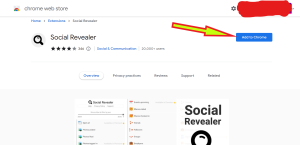
Social Revealer (Chrome extension)
The extension is still on the Chrome Web Store (version 2.0.4, updated June 2026), but its own listing warns that “Facebook is gradually switching off its search endpoints Social Revealer depends on”, so many searches end on “This page isn’t available”. The listing also says everything it shows “is implicitly shared with you”. It cannot open a list the owner has set to Only me.
The facebook.com/search/[ID]/friends link
This link pattern belonged to Facebook Graph Search. Facebook switched most Graph Search URLs off in early June 2019, saying it would focus on keyword search instead. The link no longer returns a friends list.
Searching by job and city
Typing something like “people who work at Google and live in Virginia” into Facebook search only returns people who match those words. It does not tell you who is on anyone’s friends list.
How to hide your own friends list
These steps are from Facebook’s Help Center and are the same on the app and on a computer:
- Tap or click your profile picture in the top right of Facebook.
- Select Settings and privacy, then Settings.
- Scroll to Audience and visibility and select How people find and contact you.
- Select Who can see your friends list?
- Choose Friends, Only me or another audience.
Even on Only me, a friend whose own list is public still shows your friendship on their profile.
Also see: How to See Who Unfriended You on Facebook
Also check: Delete My Facebook Account NOW Permanently | Deactivate Your Facebook Account